[UPDATE 2025] Prestashop 1.7 Bugs Resolver Guideline
[UPDATE 2026] Save button do not display in product catalog
Prestashop 1.7
- Théme Warehouse : le bouton save ne s’affiche plus.
- Dans ./app/admin/themes/new-theme/public/product.css
- On recherche .product-footer input.save{display:none}
- et on le remplace par .product-footer input.save{display:inline-block}
- Supprimer /public_html/var/cache/*
- Supprimer le cache du navigateur
**Si le site est derrière Cloudflare** : la modif reste invisible car Cloudflare cache le CSS pendant 10 ans sous la même URL `product.css?v=1.7.8.x`. Aller dans Dashboard Cloudflare → *Caching → Purge Everything* (ou activer *Development Mode*) avant de retester.
Prestashop 8
- ./adminXXX/themes/new-theme/public/product.css
Set the stock to 0 for all product combinations that do not have an image
Safety step: preview affected rows with a SELECT
SELECT sa.id_product, sa.id_product_attribute
FROM ps_stock_available sa
JOIN ps_product_attribute pa
      ON pa.id_product_attribute = sa.id_product_attribute
LEFT JOIN ps_product_attribute_image pai
      ON pai.id_product_attribute = pa.id_product_attribute
WHERE pai.id_image IS NULL
  AND sa.id_product_attribute <> 0;
Correct UPDATE query: set stock to 0 for combinations without an image
UPDATE ps_stock_available sa
JOIN ps_product_attribute pa
      ON pa.id_product_attribute = sa.id_product_attribute
LEFT JOIN ps_product_attribute_image pai
      ON pai.id_product_attribute = pa.id_product_attribute
SET sa.quantity = 0,
    sa.out_of_stock = 0
WHERE pai.id_image IS NULL
  AND sa.id_product_attribute <> 0;
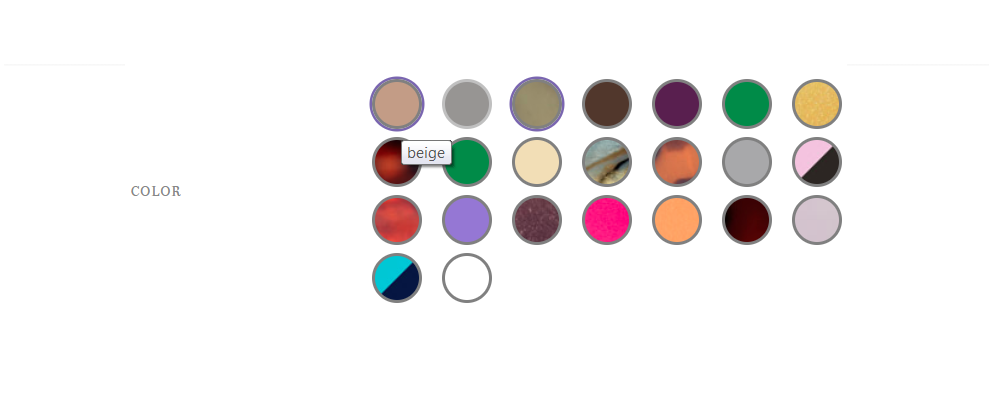
How to Find PrestaShop Color Attributes Without Swatches (and See Which Products Use Them)
If you’re running a fashion or design-heavy PrestaShop store, your color swatches are a big part of the user experience. But over time, it’s very common to end up with:
-
color attributes with no color code,
-
no texture image either,
-
and yet those attributes are still attached to real products.
Result?
Empty color boxes, broken swatches, or combinations that are confusing for your customers.
In this post, we’ll build a small diagnostic PHP tool that:
-
Lists all color/texture attributes that have:
-
no color code, and
-
no texture image (no file in
/img/co/).
-
-
Shows which products and combinations are using each of those “broken” attributes.
You can then decide whether to fix them (assign a color or texture) or clean them up.
-
Connect to your server (FTP/SSH).
-
Go to the root of your PrestaShop installation (where
config/config.inc.phpis). -
Create a new file, for example: liste_attributs_sans_vignette.php
- Paste the script below into that file.
<?php
// Fichier à placer à la racine de PrestaShop
require dirname(__FILE__) . '/config/config.inc.php';
require_once dirname(__FILE__) . '/init.php';

$id_lang = (int)Configuration::get('PS_LANG_DEFAULT');

$sql = 'SELECT
            a.id_attribute,
            a.color,
            al.name AS name,
            agl.name AS group_name
        FROM '._DB_PREFIX_.'attribute a
        JOIN '._DB_PREFIX_.'attribute_group ag
          ON a.id_attribute_group = ag.id_attribute_group
        JOIN '._DB_PREFIX_.'attribute_lang al
          ON a.id_attribute = al.id_attribute
         AND al.id_lang = '.(int)$id_lang.'
        JOIN '._DB_PREFIX_.'attribute_group_lang agl
          ON ag.id_attribute_group = agl.id_attribute_group
         AND agl.id_lang = '.(int)$id_lang.'
        WHERE ag.is_color_group = 1';

$rows = Db::getInstance()->executeS($sql);

echo '<meta charset="utf-8">';
echo '<h2>Attributs SANS couleur et SANS texture + produits concernés</h2>';

foreach ($rows as $row) {
    $id_attribute = (int)$row['id_attribute'];
    $hasColor = !empty($row['color']);

    // Vérifier si une texture existe dans /img/co/
    $hasTexture = false;
    foreach (['jpg', 'jpeg', 'png', 'gif'] as $ext) {
        if (file_exists(_PS_IMG_DIR_.'co/'.$id_attribute.'.'.$ext)) {
            $hasTexture = true;
            break;
        }
    }

    // On ne garde que ceux qui n'ont NI couleur NI texture
    if ($hasColor || $hasTexture) {
        continue;
    }

    // Récupérer les produits / combinaisons qui utilisent cet attribut
    $productSql = 'SELECT
                      p.id_product,
                      pl.name AS product_name,
                      pa.id_product_attribute,
                      pa.reference AS combination_ref
                   FROM '._DB_PREFIX_.'product_attribute_combination pac
                   JOIN '._DB_PREFIX_.'product_attribute pa
                     ON pa.id_product_attribute = pac.id_product_attribute
                   JOIN '._DB_PREFIX_.'product p
                     ON p.id_product = pa.id_product
                   JOIN '._DB_PREFIX_.'product_lang pl
                     ON pl.id_product = p.id_product
                    AND pl.id_lang = '.(int)$id_lang.'
                   WHERE pac.id_attribute = '.$id_attribute.'
                   ORDER BY p.id_product, pa.id_product_attribute';

    $products = Db::getInstance()->executeS($productSql);

    echo '<p>';
    echo '<strong>Attribut #'.$id_attribute.' - '
        .htmlspecialchars($row['group_name']).' / '
        .htmlspecialchars($row['name']).'</strong><br>';
    echo 'Couleur : '.($row['color'] ?: '(vide)').'<br>';

    if (!$products) {
        echo '<em>Aucun produit n\'utilise cet attribut.</em>';
    } else {
        echo 'Produits / combinaisons utilisant cet attribut :<br><ul>';
        foreach ($products as $prod) {
            echo '<li>ID produit '.$prod['id_product'].' - '
                .htmlspecialchars($prod['product_name'])
                .' (ID combinaison '.$prod['id_product_attribute']
                .($prod['combination_ref'] ? ', ref '.$prod['combination_ref'] : '')
                .')</li>';
        }
        echo '</ul>';
    }

    echo '</p><hr>';
}
Open your browser and go to: https://your-shop.com/liste_attributs_sans_vignette.php
-
You’ll see a report like:
-
Attribute #12 – Color / Old Blue
Color: (empty)
Products / combinations using this attribute:-
Product ID 101 – Denim Jacket (Combination ID 555, ref DJ-BLUE-M)
-
Product ID 102 – Skinny Jeans (Combination ID 556, ref SJ-BLUE-38)
-
-
Attribute #27 – Color / Something
Color: (empty)
No product is using this attribute.
-
Every block corresponds to one attribute that:
-
belongs to a color group,
-
has no color code,
-
has no swatch image in
/img/co/, -
and optionally is still attached to one or more products.
Stretched product images on phone only
In the module Performance Pro > HTML Optimization > Enable Add missing image size
Cannot write no-picture image to (categories) images folder
Rajouter une image à la langue (dispo dans img/c/en.jpg)
Going to the cart redirect you directly on homepage
In the module Performance Pro > Ressource Loading > Disable Prefetch on hover
Argument 4 Error
Argument 4 passed to PrestaShop\PrestaShop\Core\Domain\Order\QueryResult\OrderCustomerForViewing::__construct() must be of the type string, null given, called in /home/……/……/src/Adapter/Order/QueryHandler/GetOrderForViewingHandler.php on line 236
UPDATE ps_address SET phone = '' WHERE phone IS NULL;
UPDATE ps_address SET phone_mobile = '' WHERE phone_mobile IS NULL;

UPDATE ps_order_detail SET id_order_invoice = '0' WHERE id_order_invoice IS NULL;
UPDATE ps_order_detail SET product_reference = '' WHERE product_reference IS NULL;
UPDATE ps_order_detail SET product_supplier_reference = '' WHERE product_supplier_reference IS NULL;
UPDATE ps_order_detail SET product_isbn = '' WHERE product_isbn IS NULL;
UPDATE ps_order_detail SET product_upc = '' WHERE product_upc IS NULL;
UPDATE ps_order_detail SET product_mpn = '' WHERE product_mpn IS NULL;
UPDATE ps_order_detail SET download_hash = '' WHERE download_hash IS NULL;
UPDATE ps_orders SET gift_message = '' WHERE gift_message IS NULL;

UPDATE ps_order_payment SET transaction_id = '' WHERE transaction_id IS NULL;
UPDATE ps_order_payment SET card_number = '' WHERE card_number IS NULL;
UPDATE ps_order_payment SET card_brand = '' WHERE card_brand IS NULL;
UPDATE ps_order_payment SET card_expiration = '' WHERE card_expiration IS NULL;
UPDATE ps_order_payment SET card_holder = '' WHERE card_holder IS NULL;

UPDATE ps_order_carrier SET tracking_number = '' WHERE tracking_number IS NULL;
UPDATE ps_order_carrier SET id_order_invoice = '0' WHERE id_order_invoice IS NULL;
UPDATE ps_order_carrier SET weight = '0' WHERE weight IS NULL;

UPDATE ps_product SET isbn = '' WHERE isbn IS NULL;
UPDATE ps_product SET upc = '' WHERE upc IS NULL;
UPDATE ps_product SET mpn = '' WHERE mpn IS NULL;
UPDATE ps_product SET unity = '' WHERE unity IS NULL;
UPDATE ps_product SET supplier_reference = '' WHERE supplier_reference IS NULL;
UPDATE ps_product SET location = '' WHERE location IS NULL;
UPDATE ps_product SET redirect_type = '301-category' WHERE redirect_type = '';
UPDATE ps_product SET available_date = '2020-12-01' WHERE available_date IS NULL;
UPDATE ps_product SET cache_default_attribute = '0' WHERE cache_default_attribute IS NULL;
UPDATE ps_product_shop SET unity = '' WHERE unity IS NULL;
UPDATE ps_product_shop SET redirect_type = '301-product' WHERE redirect_type = '';
UPDATE ps_product_shop SET available_date = '2020-12-01' WHERE available_date IS NULL;
UPDATE ps_product_shop SET cache_default_attribute = '0' WHERE cache_default_attribute IS NULL;

update ps_address set dni = '' where dni is null;
update ps_address set other = '' where other is null;
update ps_address set address2 = '' where address2 is null;
update ps_address set company = '' where company is null;
update ps_address set vat_number = '' where vat_number is null;
Source : https://github.com/PrestaShop/PrestaShop/issues/22215


0 commentaire